Before you begin, make sure you have at least one course category set up. You can learn how to do that here.
STEP 1
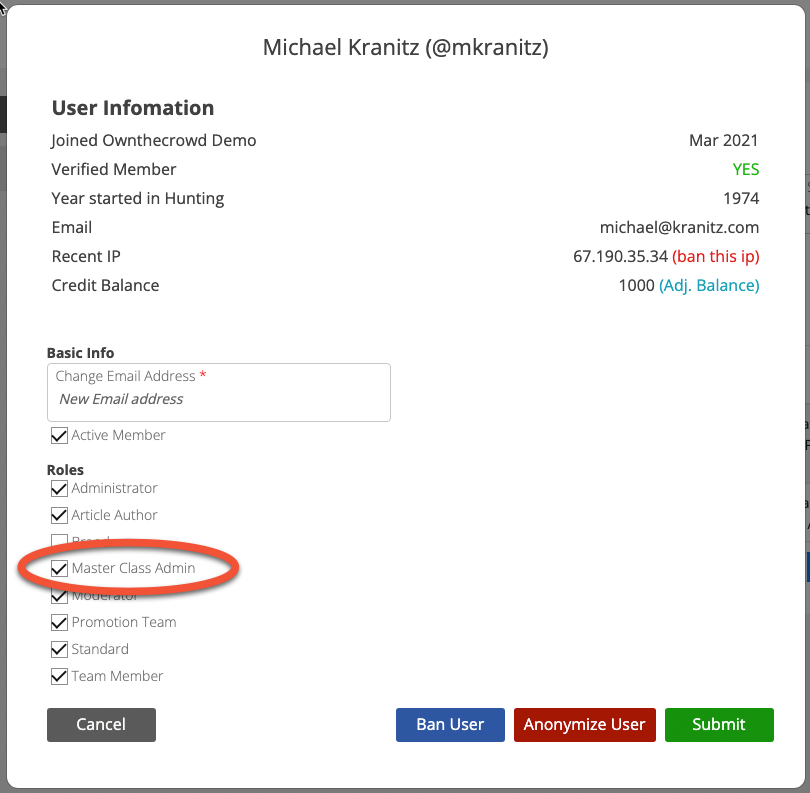
In order to add a course to the system, the user adding courses must be designated a "Master Class Admin"
STEP 2
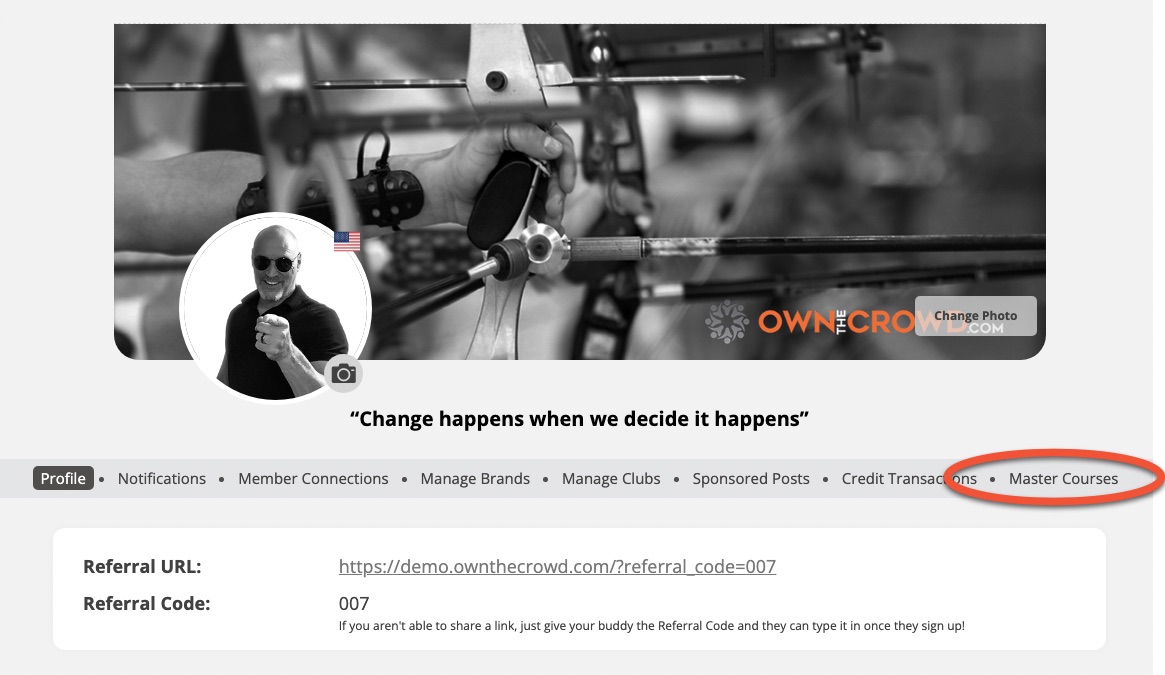
To access the course creation area, the user simply visits their MY ACCOUNT area and clicks on the "Master Courses" menu item.
STEP 3
Set up your course first. Once you do that, you can begin adding videos to the course.
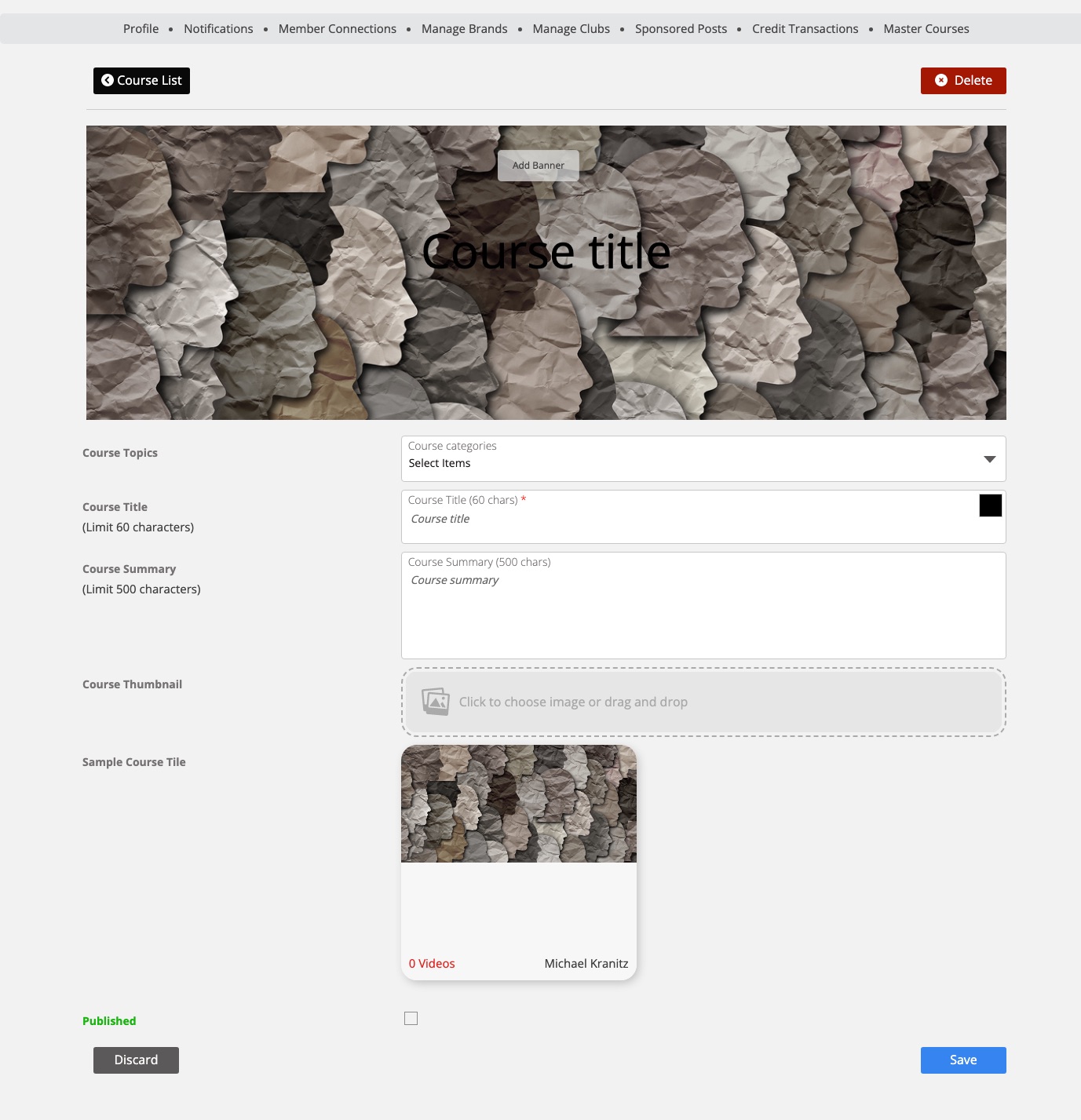
Begin with a course banner. Once you upload a banner, you'll see controls below the banner that allow you to alter the greyscale > color and opacity. You can also drag the banner in the defined area to perfect positioning.

Next, assign the course categories (which need to be set up by the site admin)
Add a title and summary followed by a course thumbnail. The thumbnail is used in your Master Course admin area to help you identify the course.

BE SURE TO SAVE YOUR DATA!
You are now ready to add course videos.