Every category you create in either Hierarchy 1 or Hierarchy 2 (which are your primary discussion filters) can be modified as follows:
Set Minimum and Maximum Categories Per Post
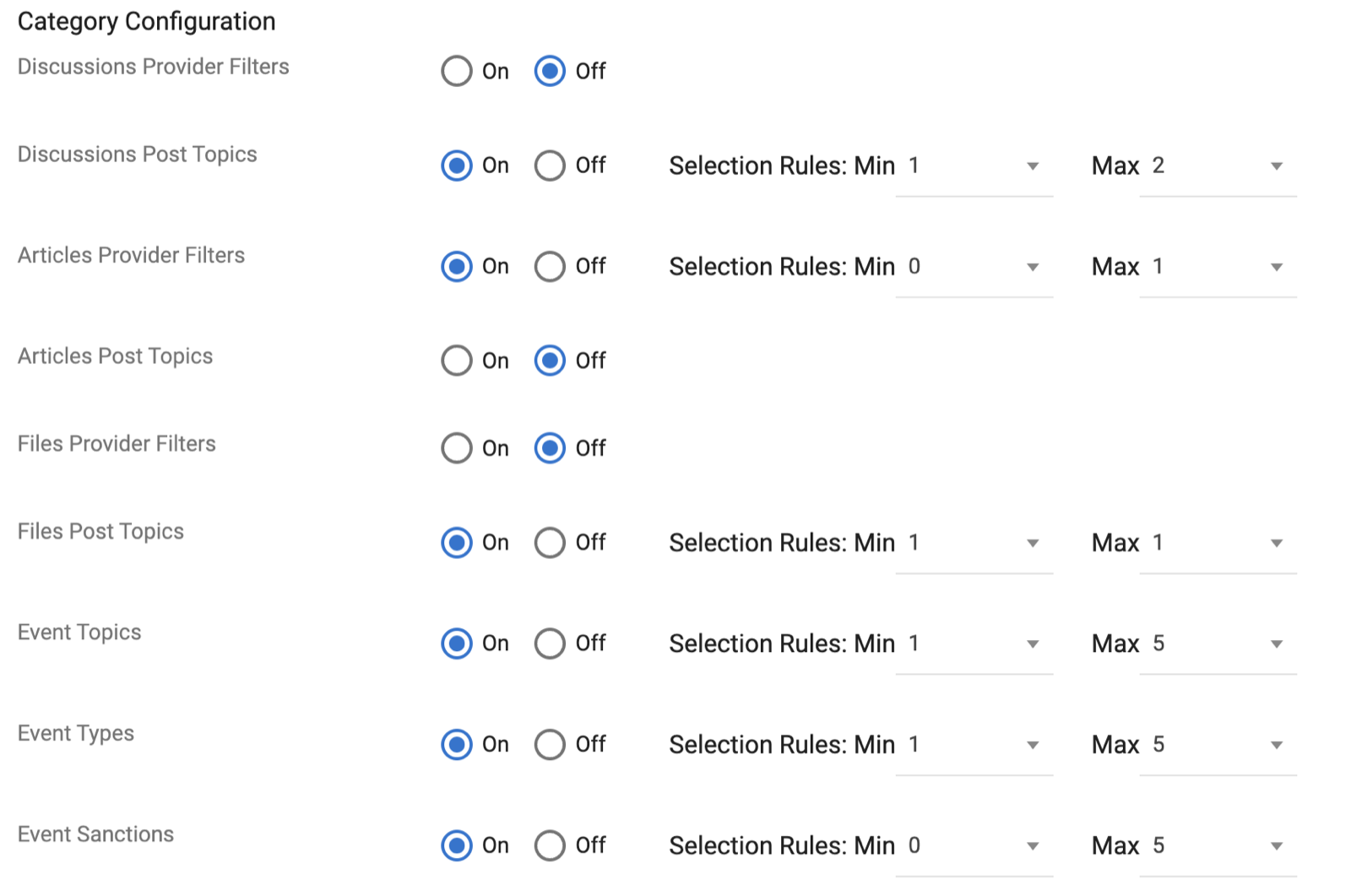
Filters can be switched on or off for nearly every section of the site (the marketplace must have a hierarchy). For each active hierarchy, you can specify the minimum and maximum number of categories a user may assign to a single post.
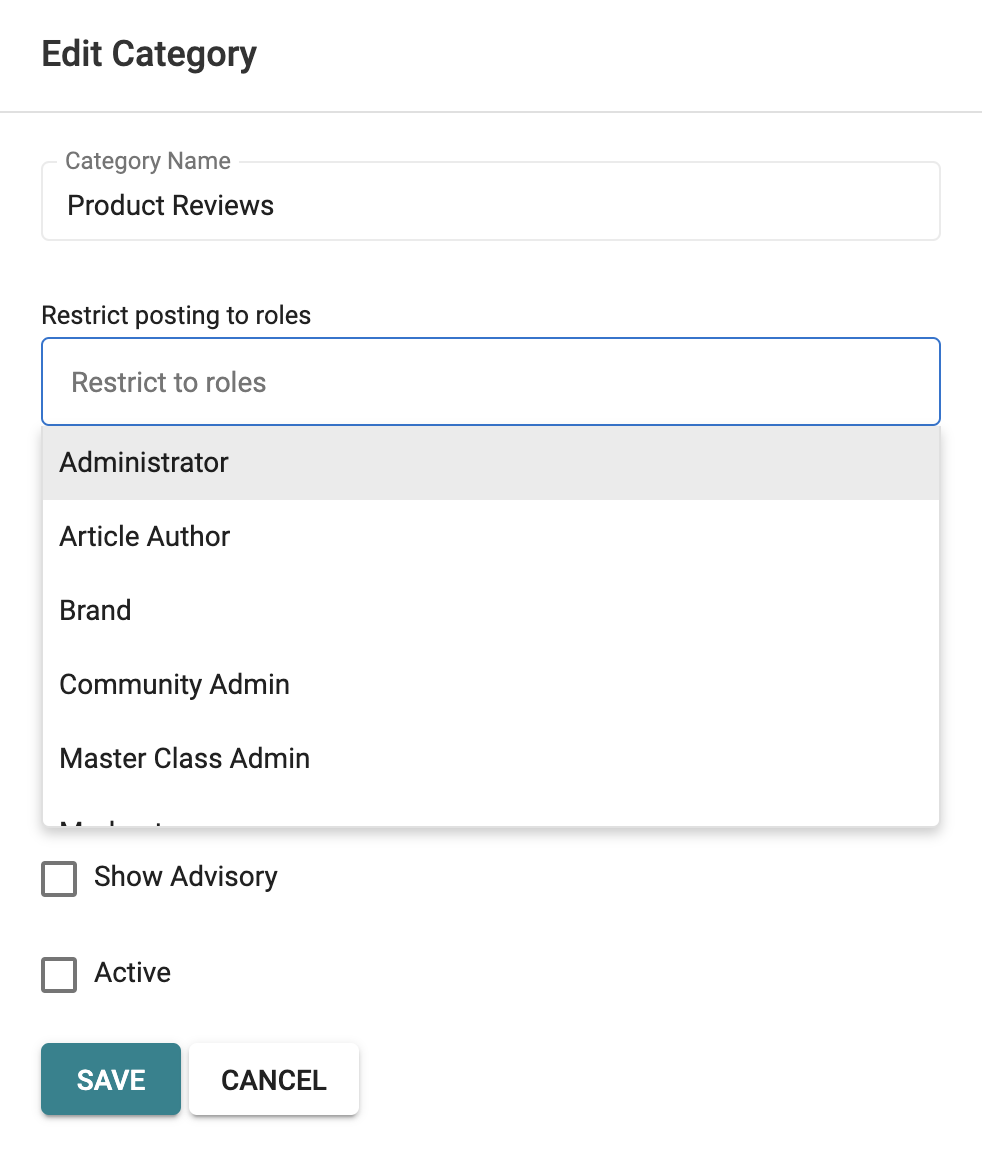
Restrict posting to roles. In any particular hierarchy, when you add or modify a particular category, you can specify specific user types who are permitted to POST under that category. You might wish to use this setting for only management to create posts (but allow comments from any user).
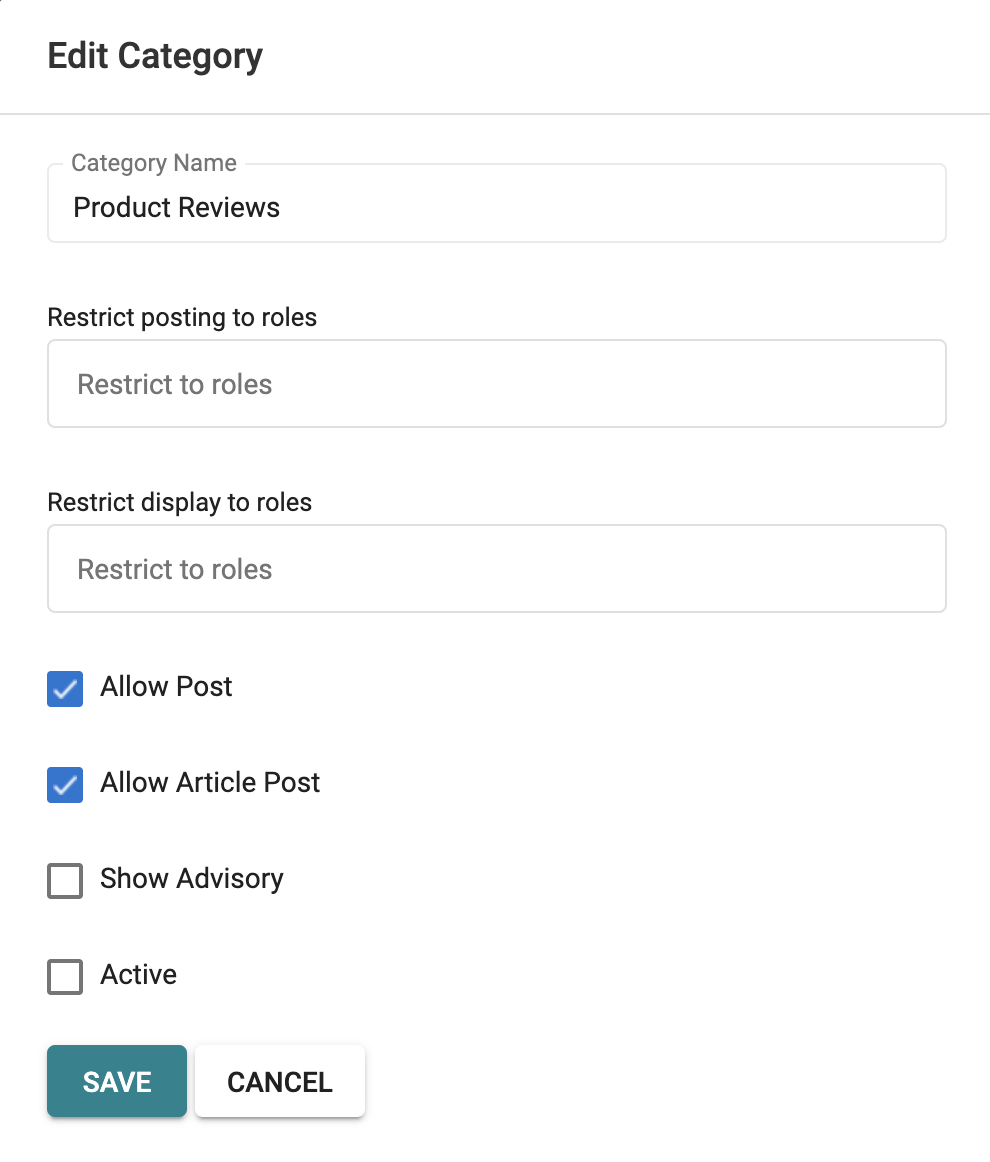
Restrict display to roles. For any category, you can also specify specific user types who are permitted to VIEW posts under that category. You might wish to use this setting for specific groups of people (like a private category for moderators to just discuss things amongst themselves outside the view of standard users).
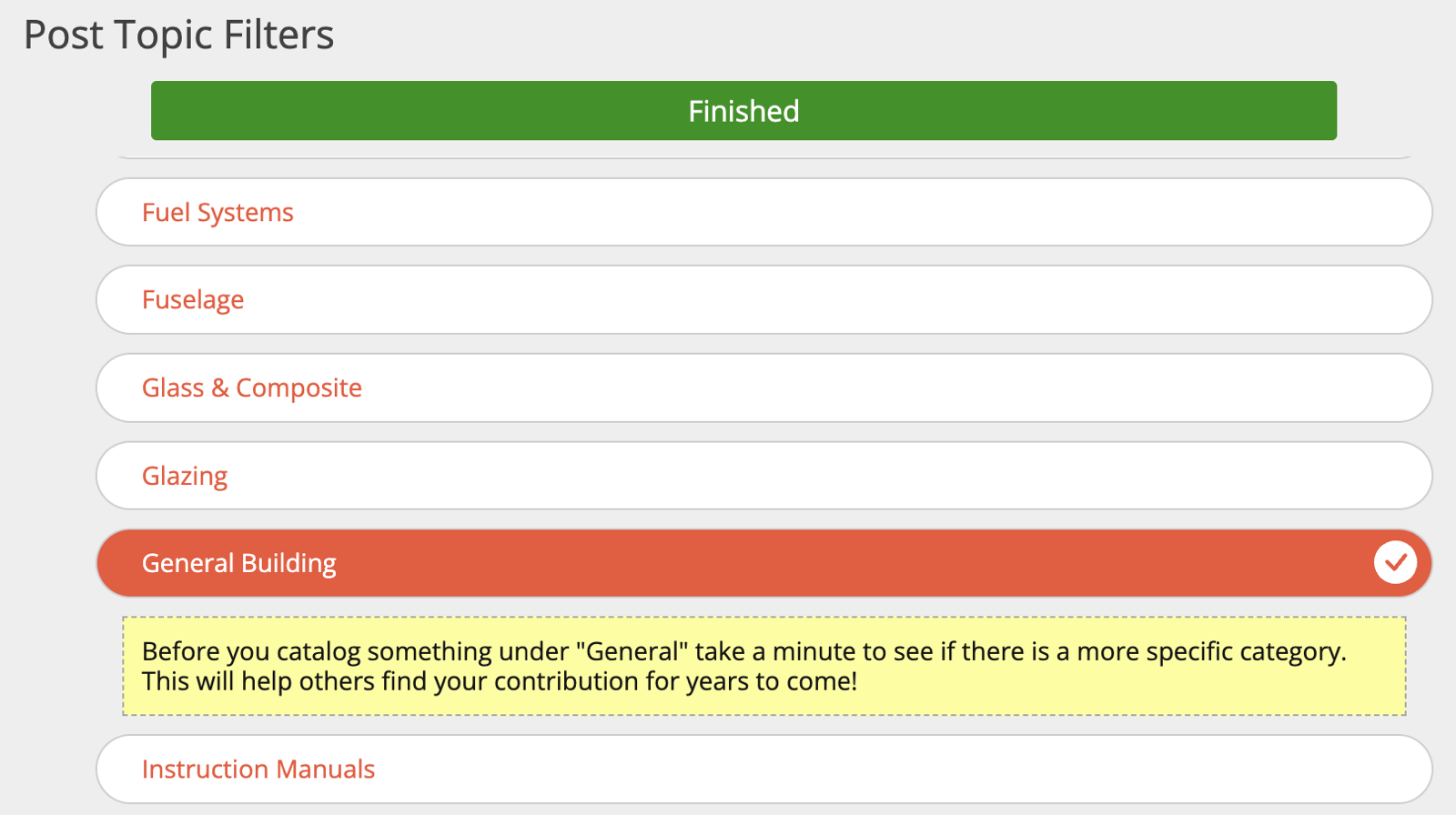
Show Advisory. In some cases, you might wish to alert a user before they use a specific category for their post. In the example below, we are discouraging rote use of "general" for posts because it defeats the entire purpose of the catalog if too many posts are slotted in that category. The example below shows what the user would see if you create an advisory under "General Building."
Active. To allow posting in a category, check the "Active" option. Deactivating a category will NOT delete posts already made within that category.