SITE ADMINISTRATION
Chances are, your club is already listed on our site, but nobody has claimed ownership over it. If you see your club but cannot administer it, make sure you are logged in as the "Club Contact" shown below. Register on RCPilot with the SAME EMAIL ADDRESS as the one listed and you can claim the club.
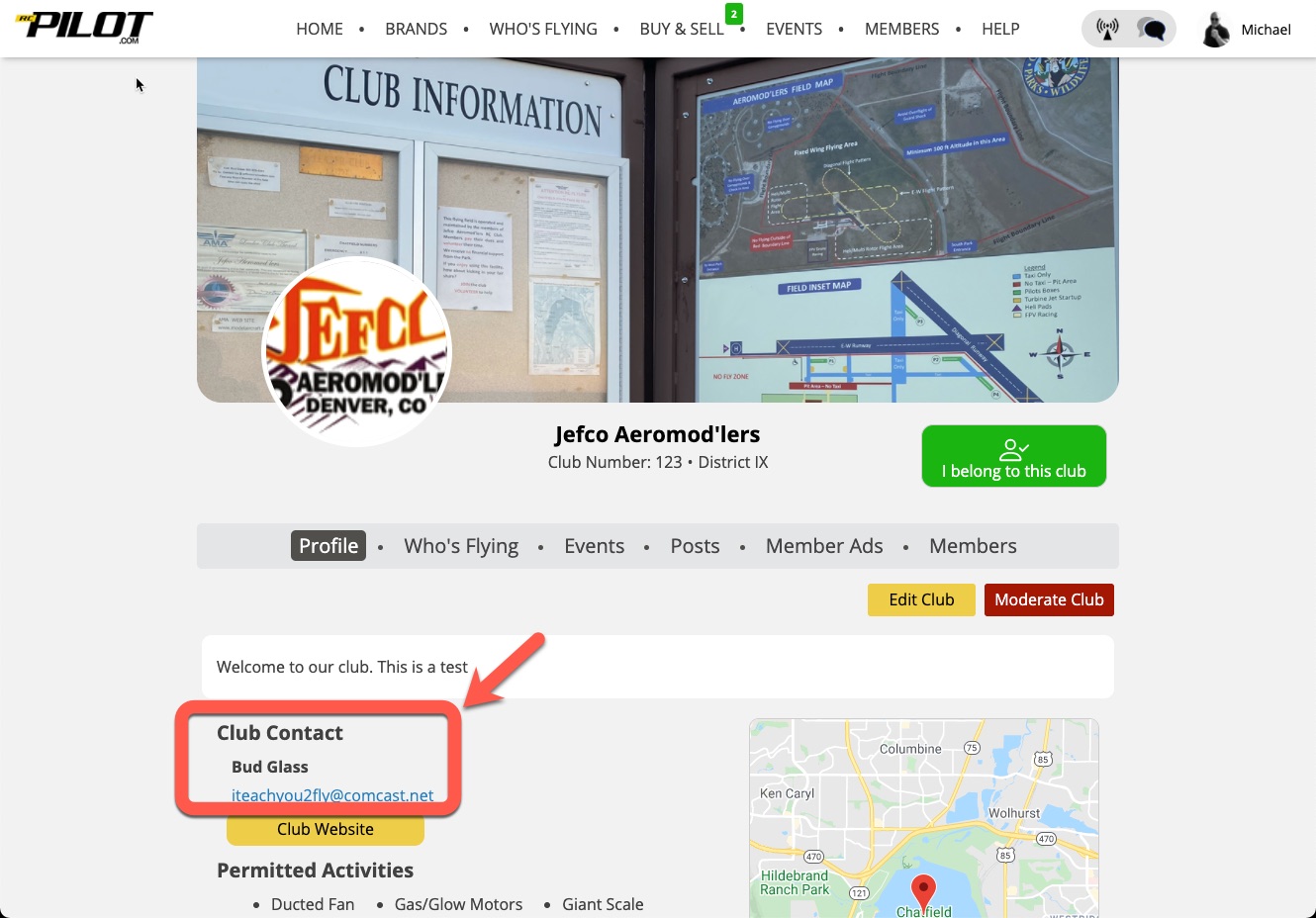
If you are not the person listed, either have that person register/log into RCPilot and set up the page or send an email to "admin@rcpilot.com" and request that you be made the club administrator. There can be only ONE club administrator (at this time).
If you don't see your club, just add it from the sub-menu in the "Who's Flying" area.
Once the administrator is connected they will see a yellow "Edit Club" button below the club navigation menu. Simply click to begin adding details to your club page.
BRAND IT
To make your club page look great, upload your club logo and change the stock photo!
POST CONTENT
- Click the "WHO'S FLYING" menu item while in the club area to view pilots from the club who are intending to fly over the next 7 days.
- Click the POSTS menu item while in the club area to view or create posts that are PRIVATE to the club. Only online members of the club can view these posts.
- Click the EVENTS menu item while in the club area to view or create events associated with the club.
- Click the MEMBER ADS menu item to view classified ads posted by members of the club.
- Click the MEMBERS menu to see who has joined the club or who is waiting for approval.
MEMBERSHIP
Club administrators can set up their club so that (a) only approved users can "join" the club on the site or (b) anyone can "join" the club. In ALL CASES, the club admin will be able to "un-join" and quietly block any member.