Sponsored posts offer you a way to generate revenue by allowing all or certain members to purchase credits, which are then used to pay for specially-formatted posts. Sponsored posts rotate within the stream of discussion posts (at a frequency of one every 4 regular posts by default).
How You Get Paid
Our system is connected to STRIPE. In a few minutes, you can either create your Stripe account or connect an existing one to our system. When you do, all credit card charges will run from the user to your connected account.
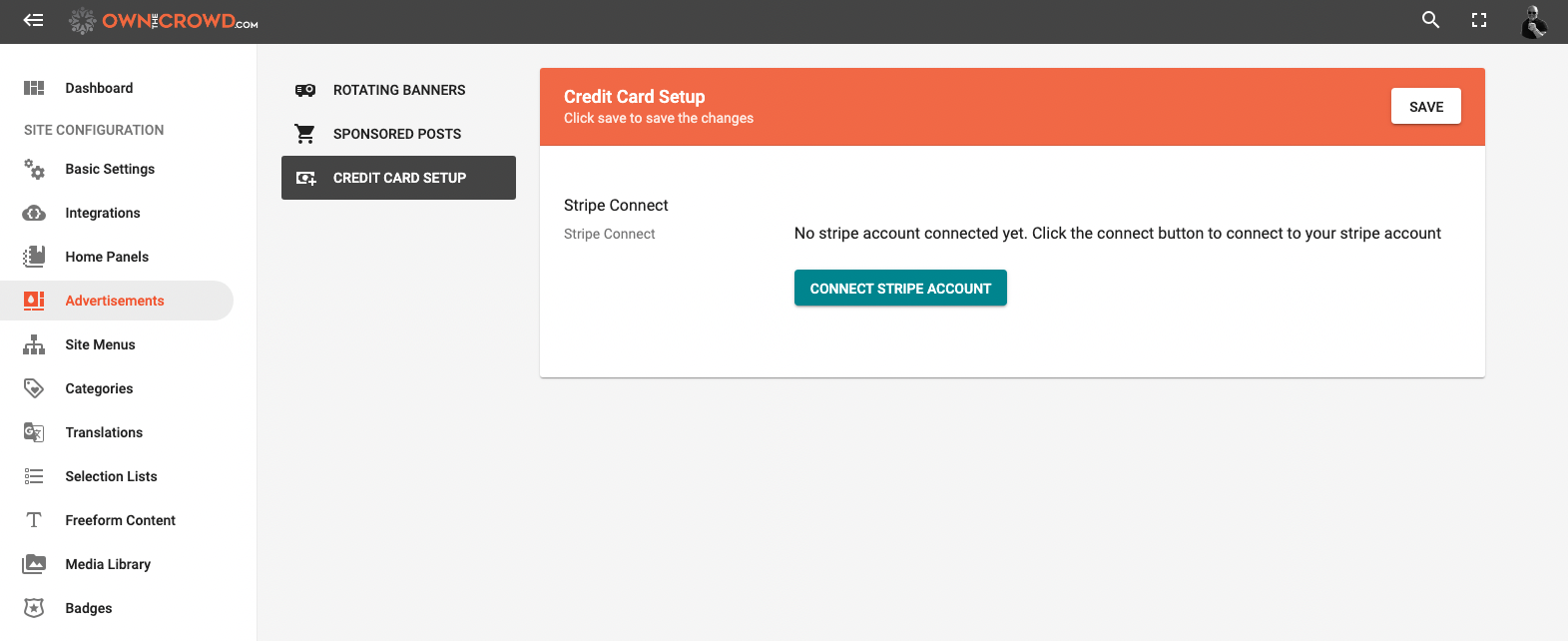
Setting Up Sponsored Posts
Setup is very easy. Just access the SPONSORED POSTS menu from the main ADVERTISEMENTS section.
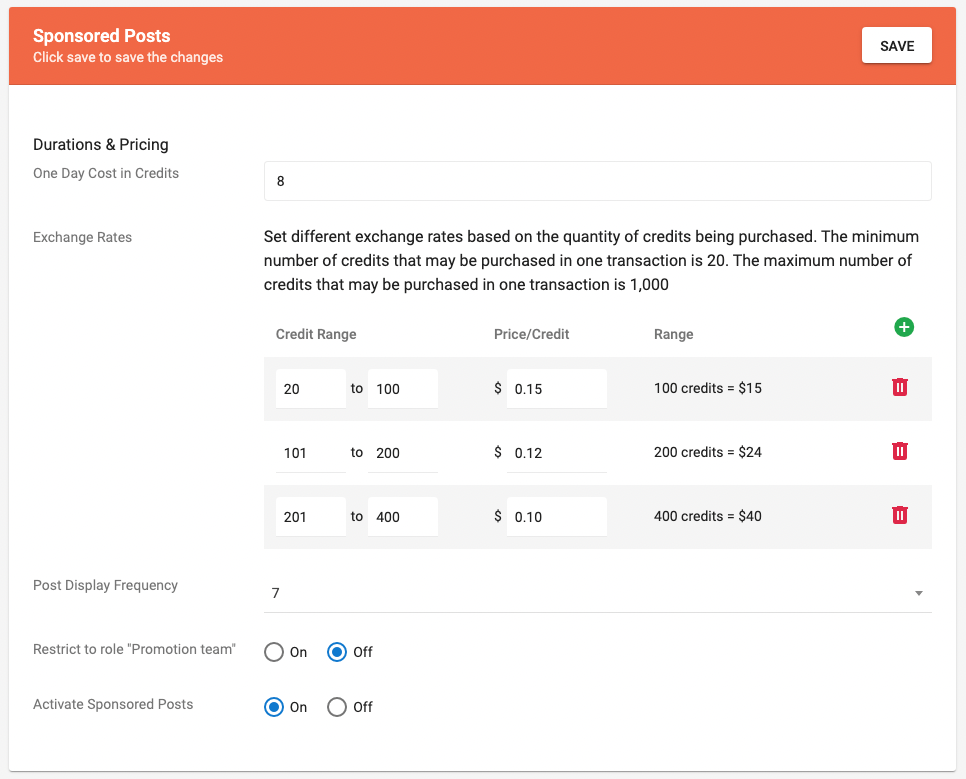
STEP 1: Establish a per day cost (in credits) for a sponsored post.
STEP 2: Set up an exchange rate table (use the example below as a reference). Based on your traffic and other factors, we recommend that you establish a rate structure that is appealing to smaller sponsors who view it as an affordable way to promote their product or service.
STEP 3: We inject one sponsored post for every 4 regular posts. You can change this to one sponsored posts to one every 4, 5, 6, 7, or 8 posts.
STEP 4: You can limit the ability to create a sponsored post to only members of the "Promotion Team," a role you can set in the user administration area on the site, itself.
STEP 5: Turn the feature on or off
How to Restrict Who Can Post a Sponsored Post
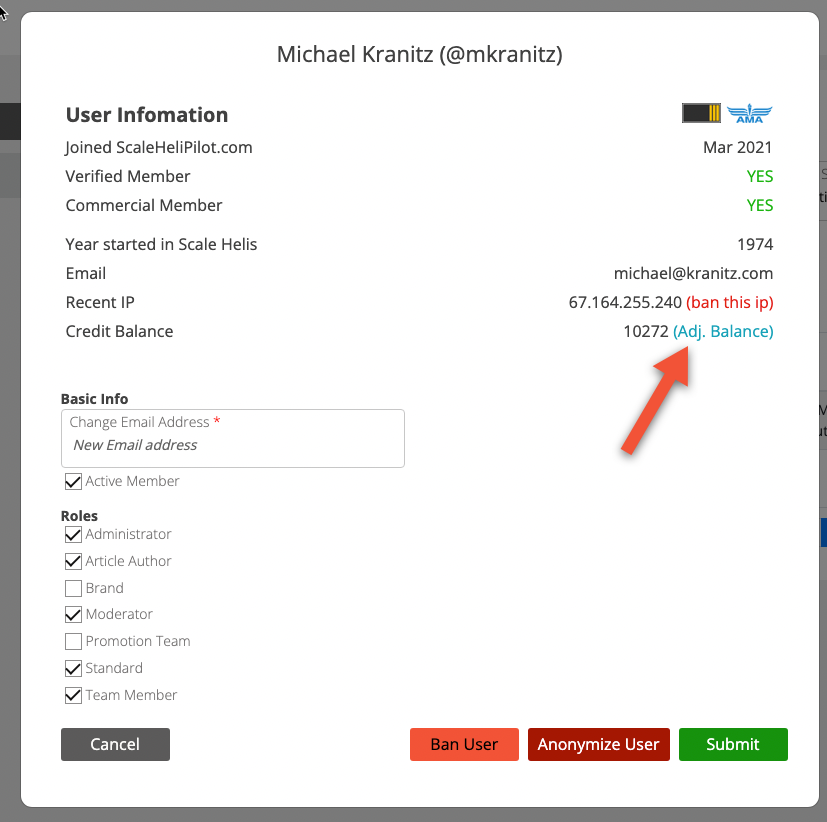
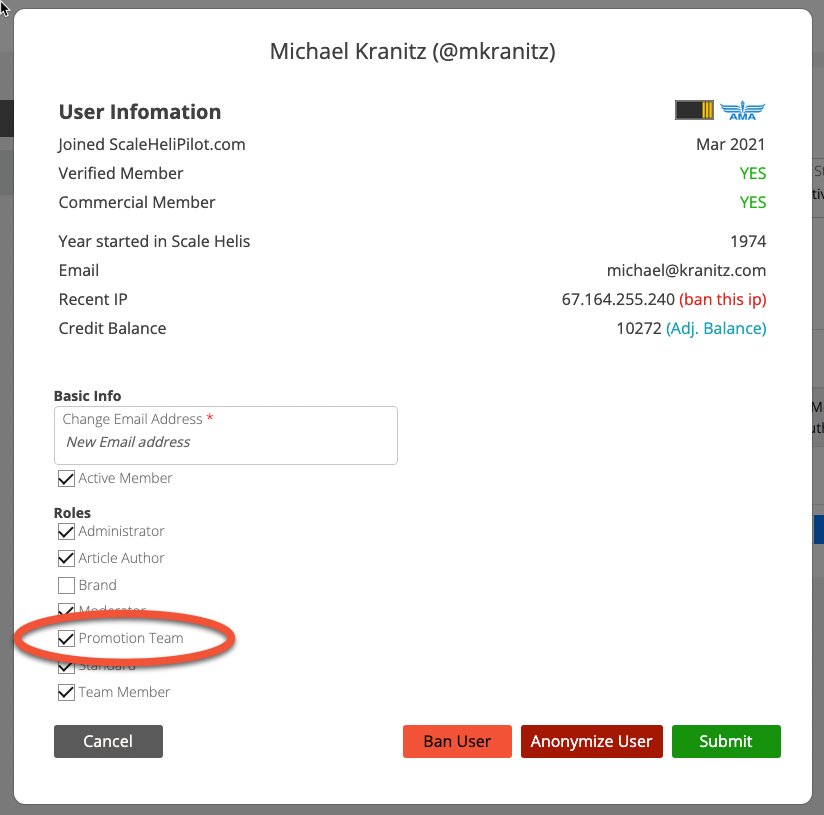
To limit who can create sponsored posts, set your restriction to "Promotion Team" ON in the settings area above. Then, visit your site and use the Administration tools to selectively add specific users to the "Promotional Team" role.
Next, click the "Adj. Balance" link to add credits to this user's account. They will now be able to freely create sponsored posts!