To enable users to sign up or sign in through their Facebook account, set up your Oauth by visiting: https://developers.facebook.com.
Click the CREATE APP button to make a new app for your community.
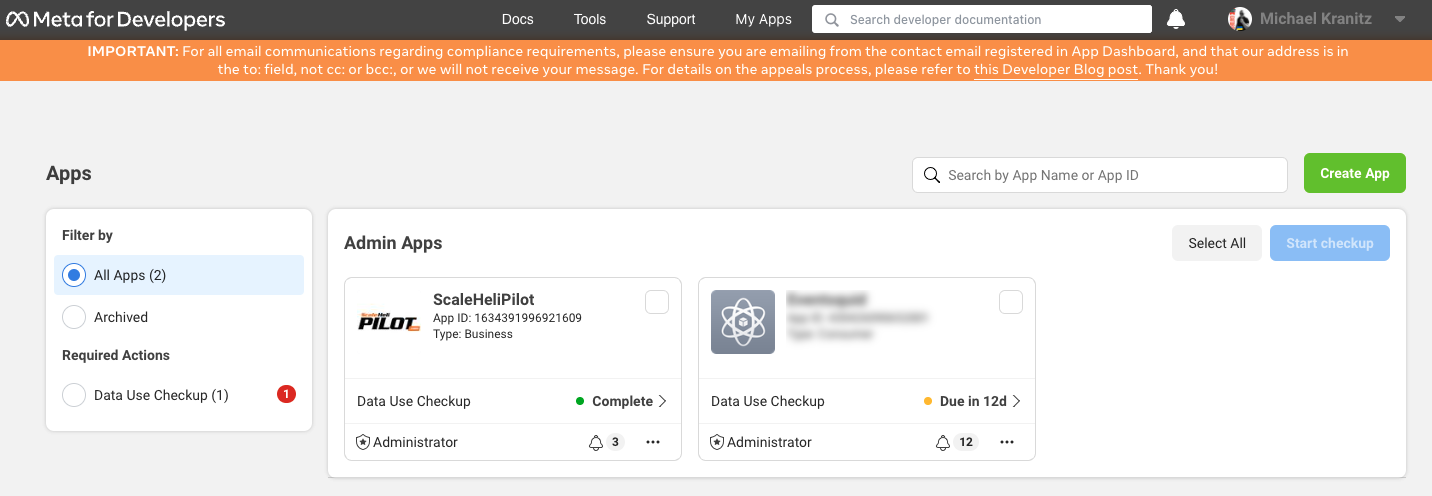
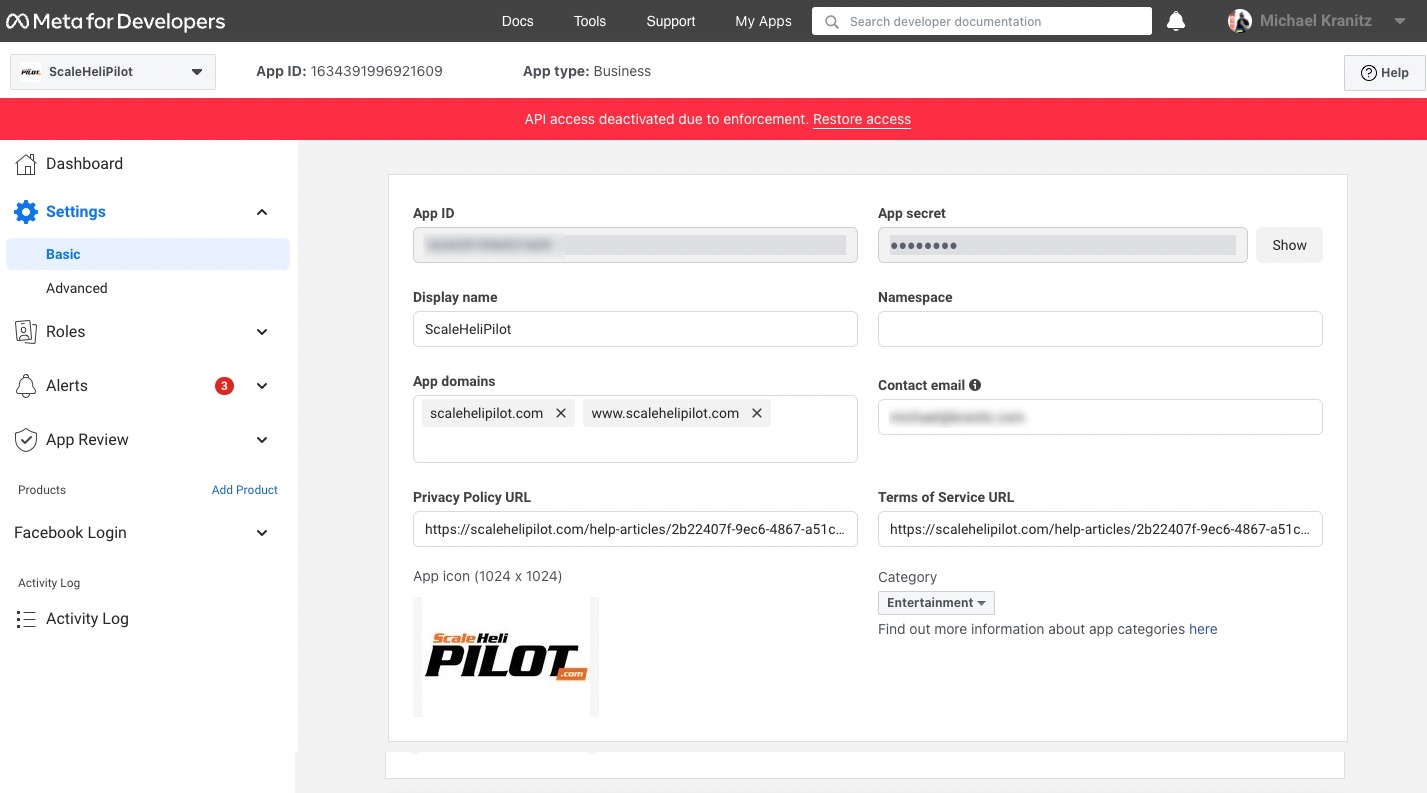
Once created, click on the app. Select Settings > Basic.
Now you can identify your app. Be sure to have your privacy policy and terms of service URL's handy.
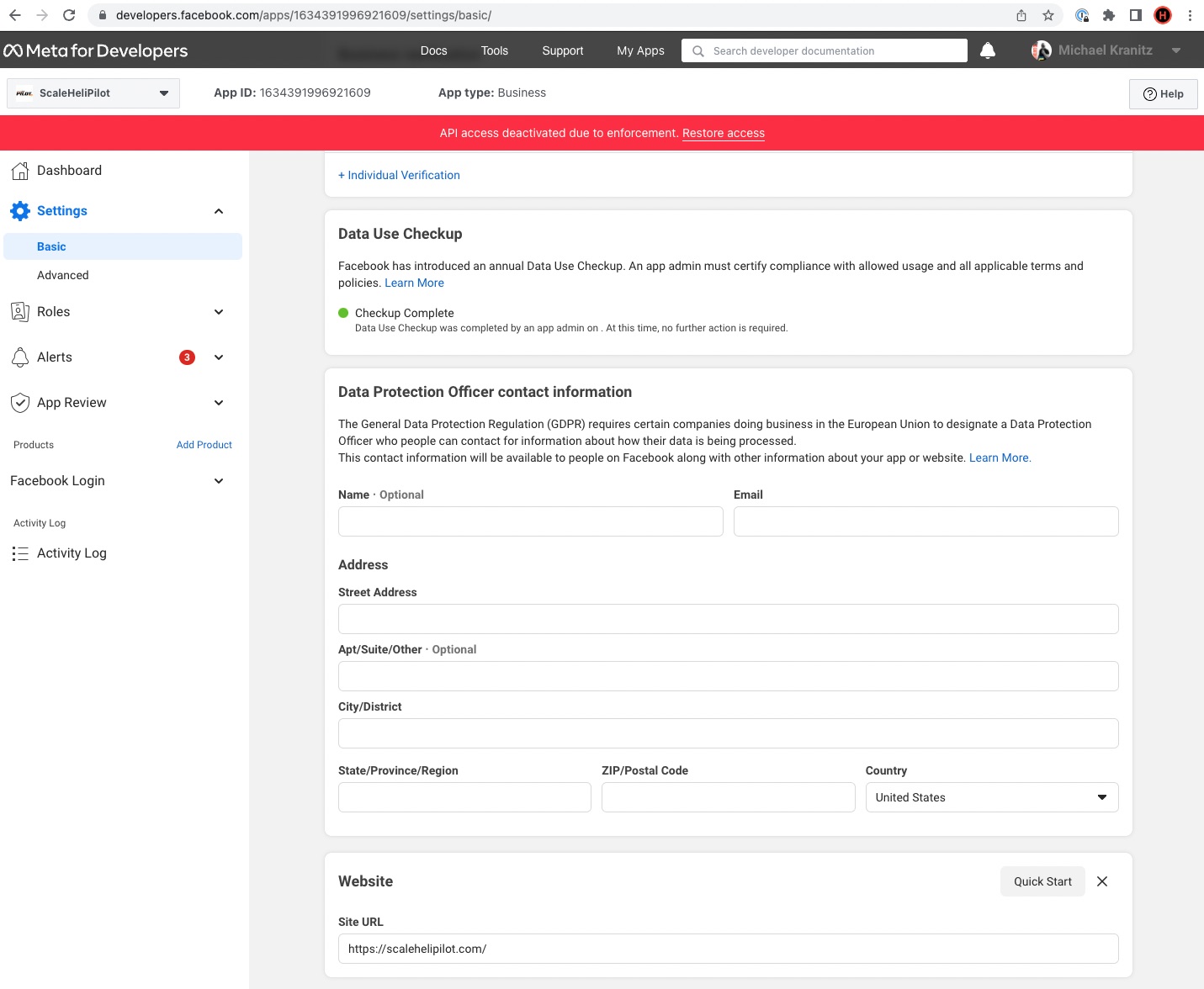
Scroll down and make sure you input your site URL and Data Protection Officer contact information.
SAVE CHANGES. Now it is time to create your Facebook Login. In the left menu, select "Add Product"
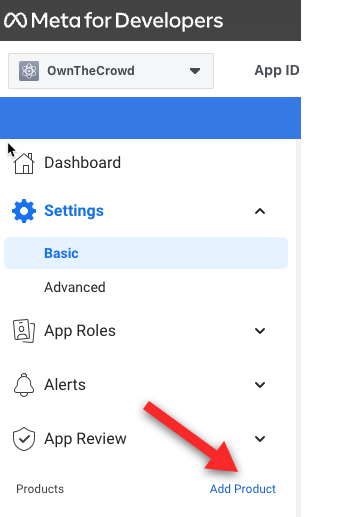
Choose FACEBOOK LOGIN to begin. You can also Make sure to substitute YOUR DOMAIN for "ScaleHeliPilot.com" in the Valid OAuth Redirect URI input field. If you want, you can copy the redirect URI right from the integrations page in your OwnTheCrowd admin screen:
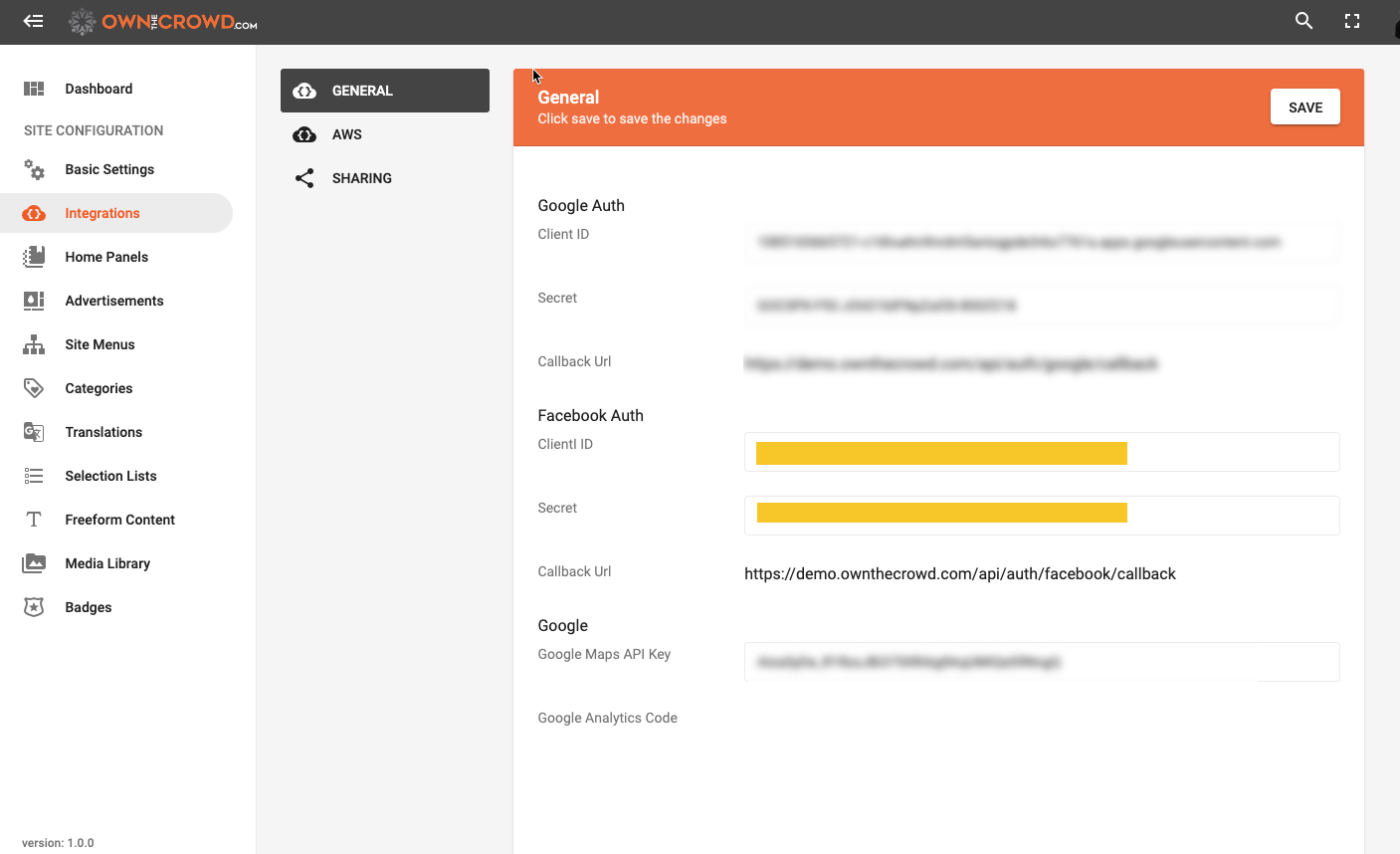
COPY AND PASTE the redirect URI into the Facebook setup screen:
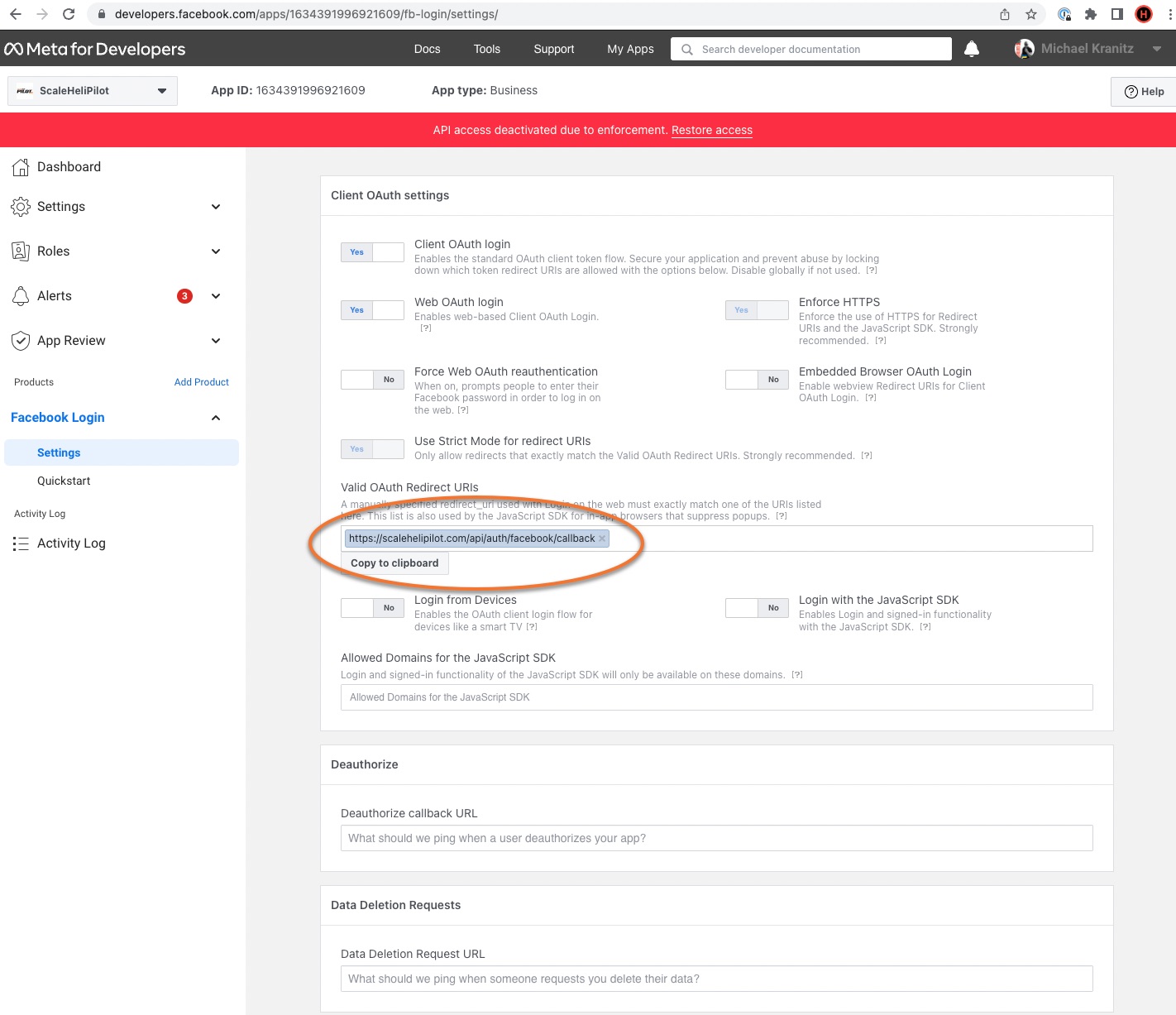
Once saved on Facebook, you can copy your App ID and Secret credentials from Facebook and paste them into the console on OwnTheCrowd.